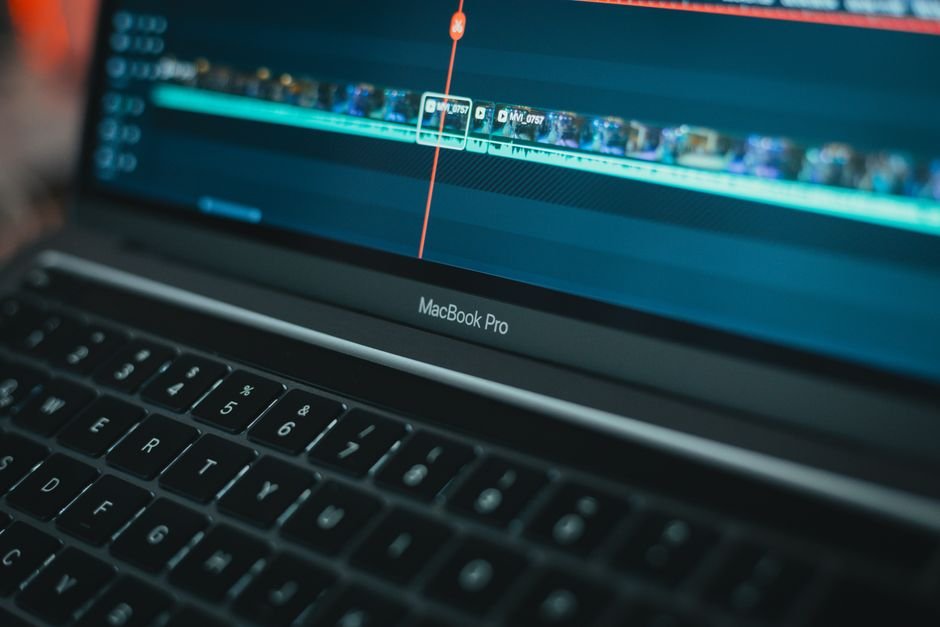
Last year I sat down to caption a batch of forty short-form clips for a client and did what everyone does now: opened CapCut, dropped in the first clip, hit auto-captions, and waited. It worked fine, for one clip at a time, in a GUI, with me clicking through every single file. Multiply that by forty, across three revisions each because a client wanted wording changes, and I was looking at hours of pure clicking. I run a one-person studio. I don’t have hours to give to clicking. So I stopped using CapCut’s auto-captions for anything beyond quick one-off posts and built my own captioning pipeline on top of Whisper, OpenAI’s open-source speech recognition model, running through ffmpeg on my own machine. Here’s what that setup actually looks like, what it gets right that the popular tools don’t, and where it still needs a human in the loop.
Why the obvious answer stopped working for me
CapCut, Veed, and Descript all sell the same promise: drop in a video, get burned-in captions in under a minute, no editing skill required. For a single Instagram Reel that promise holds up fine. The problem shows up the moment your work is a pipeline instead of a one-off: batch processing, consistent styling across a whole content calendar, or running on a machine where the desktop app just doesn’t behave the way you need it to. On my setup, CapCut’s desktop editor is genuinely limited for anything beyond manual, one-file-at-a-time work, no batch export, no scripting, no way to plug it into anything else I run. That’s fine if you make one video a week. It’s a real bottleneck if you’re producing daily shorts and UGC ad variants like I am.
So instead of fighting the GUI, I built a small pipeline: ffmpeg extracts the audio track, Whisper transcribes it with word-level timestamps, and a Python script I wrote formats that transcript into an .srt or .ass file and burns it back onto the video with ffmpeg’s subtitle filter. It runs from the command line, it can process a folder of clips overnight, and it costs nothing per video because Whisper is open source and runs locally. No subscription, no per-minute transcription fee, no waiting on a rate-limited API.
What Whisper actually gets right
- It’s free and it runs offline. Once the model is downloaded, there’s no per-video cost and no internet dependency. Compare that to Descript’s paid tiers or CapCut Pro’s subscription if you want the higher caption limits.
- Accuracy on clean audio is genuinely strong. On a clip with one speaker, minimal background noise, and normal pacing, the medium or large model gets word accuracy that’s close to indistinguishable from a human transcript on a first pass.
- It scales. I can point the script at a folder of forty clips before bed and wake up to forty captioned drafts. No tool I’ve used with a GUI does that without a paid enterprise tier.
- Word-level timestamps. This is the part people underrate. Whisper doesn’t just give you sentence blocks, it gives you timing per word, which is what lets you build the punchy, word-by-word animated caption style that performs so well on Reels and TikTok, without hand-timing every word yourself.
Where it still fails, and why I never skip the review pass
Here’s the part nobody selling an auto-caption tool wants to advertise: every automatic transcription model, Whisper included, is bad at proper nouns it hasn’t seen before. Product names, brand spellings, a client’s company name, a specific model number, these are exactly the words that matter most in a UGC ad or a sponsored post, and they’re exactly what the model is most likely to mangle. I learned this the expensive way early on, publishing a caption that spelled a client’s product name phonetically wrong because it sounded plausible and I didn’t catch it before rendering. Now I never burn captions onto a final export without first sending the raw transcript back to whoever briefed me, specifically asking them to confirm product names and any brand-specific spelling before I lock it in. That one habit has saved me from re-exporting and re-uploading more times than I can count.
The other honest limitation is background noise and overlapping speech. Two people talking over each other, a loud cafe, wind on an outdoor mic, all of these push accuracy down noticeably, and no amount of model size fixes bad source audio. If the raw audio is rough, I’m doing a manual pass regardless of which tool generated the first draft.
The cost comparison nobody runs
CapCut Pro runs a monthly subscription for its higher caption and export limits. Descript’s paid plans scale with transcription minutes and start climbing fast if you’re producing daily content. Veed is similar. My Whisper pipeline has zero marginal cost per video once it’s set up, the only cost is the one-time setup time and the compute my own machine already has sitting idle. For someone producing one video a month, a subscription tool is obviously easier. For someone producing daily short-form content across multiple client accounts, which is where I live, the math flips hard in favor of owning the pipeline.
There’s a real setup cost I won’t undersell. Getting ffmpeg, a Python environment, and Whisper installed and talking to each other correctly took me a weekend the first time, and it is not a beginner-friendly afternoon project if you’ve never touched a terminal. That’s the actual tradeoff: subscription tools sell you convenience today, a local pipeline sells you zero marginal cost and full control forever, in exchange for a real one-time cost in setup time and comfort with the command line.
Who should actually build this versus just pay for CapCut
If you post occasionally and want captions on a handful of videos a month, pay for the subscription. It’s genuinely not worth your time to build a pipeline for low volume. If you’re a creator or a small studio producing daily or near-daily short-form content, especially across multiple accounts or clients, the math and the control both favor building your own captioning step, even if that just means learning to run Whisper from the command line rather building the full ffmpeg automation I did. The break-even point in my experience is somewhere around producing more than a handful of videos a week. Below that, convenience wins. Above it, ownership wins.
The takeaways
- Whisper is free, runs offline, and scales to batch processing in a way GUI caption tools generally don’t without an expensive tier.
- Word-level timestamps from Whisper are what make the popular word-by-word animated caption style possible without manual timing.
- Proper nouns, brand names, and product spellings are the weak point of every auto-caption tool. Always confirm these with whoever briefed you before burning captions into a final export.
- Background noise and overlapping speech hurt accuracy regardless of which tool you use. Fix the audio, don’t just hope the model compensates.
- Building your own pipeline only pays off at real volume. Occasional posters should just pay for the subscription tool.
Related reading
- I Tested AI Video Generators for UGC Ads So You Don’t Have To
- The Honest Guide to AI for Small Business Owners
- 5 AI Tools That Save B2B Marketers 10 Hours a Week
Frequently asked questions
Is Whisper better than CapCut’s auto-captions?
Neither is universally better. Whisper is free, runs offline, and scales to batch processing, which makes it better for high-volume creators. CapCut’s built-in captions are faster to use for a single one-off video and need no setup, which makes them better for occasional posters.
Do I need to know how to code to use Whisper for captions?
To run the full offline pipeline with ffmpeg the way I do, yes, basic command-line comfort helps a lot. You can get most of the transcription benefit without scripting anything by using tools that already wrap Whisper in a simple interface, though you give up some of the batch automation.
Why do auto-captions get product names and brand names wrong so often?
Speech recognition models are trained on general language patterns and haven’t seen your specific product or brand name enough times to reliably spell it the way you intend. This is true across every auto-caption tool, not just Whisper, which is why I always send the raw transcript back for a spelling check before finalizing anything with a client’s product name in it.
Follow Osato Tech and AI for more hands-on breakdowns like this one.
Written by Osato Umweni, a designer and tech creator based in Lagos. More about me.